
Download Rename to EXIF date – rename photos by date, EXIF date, photo organizer, batch rename, file management
Overview
Renaming photo files with accurate metadata has long been a challenge for users managing digital memories. Rename to EXIF date addresses this need by offering a streamlined solution to rename image files based on the exact date and time they were captured. The app is designed for individuals who regularly handle large volumes of photos—especially from events such as vacations, weddings, or family gatherings—where chronological order is essential but often lost due to generic filenames like “IMG_0001.jpg.” By leveraging embedded EXIF data, the tool ensures that each file is renamed with precision, enabling users to organize their photos chronologically without manual effort.
The developer, Joe C. Jones, has crafted a focused utility that prioritizes simplicity and reliability, making it a valuable addition to any digital photo management workflow. Although the developer did not provide additional technical details, the app’s enduring presence since 2008 suggests a stable and functional design.
Its purpose is clear: to automate and simplify the renaming of image files using reliable metadata. This functionality fills a niche in the productivity space, particularly for users who value accuracy and efficiency in file organization.
Key Features & Functionality
- EXIF Data Integration: The application automatically reads EXIF metadata embedded in image files, extracting the exact date and time the photo was taken. This ensures that file names reflect the original capture timestamp with high accuracy.
- User-Friendly Drag-and-Drop Interface: Users can quickly add multiple photo files to the app by dragging them into the interface. This intuitive method reduces the need for complex navigation or technical knowledge.
- Efficient Batch Renaming: The tool processes multiple files simultaneously, completing the renaming task in seconds. This is ideal for users managing hundreds of photos from a single event. Chronological File Organization: Files are renamed using a standardized format based on the EXIF timestamp, enabling users to sort and locate images by date with ease.
- Lightweight Design: At just 1.2 MB, the app requires minimal system resources, making it suitable for older or low-spec devices without performance degradation.
For example, a user attending a weekend wedding can drag all 200 photos into the app, and within moments, each file will be renamed to a format like “2024-07-14_15-30-22.jpg,” directly reflecting the moment it was captured. This eliminates the need for manual sorting and reduces the risk of misplacing or mislabeling important memories.
Interface, UX & Performance
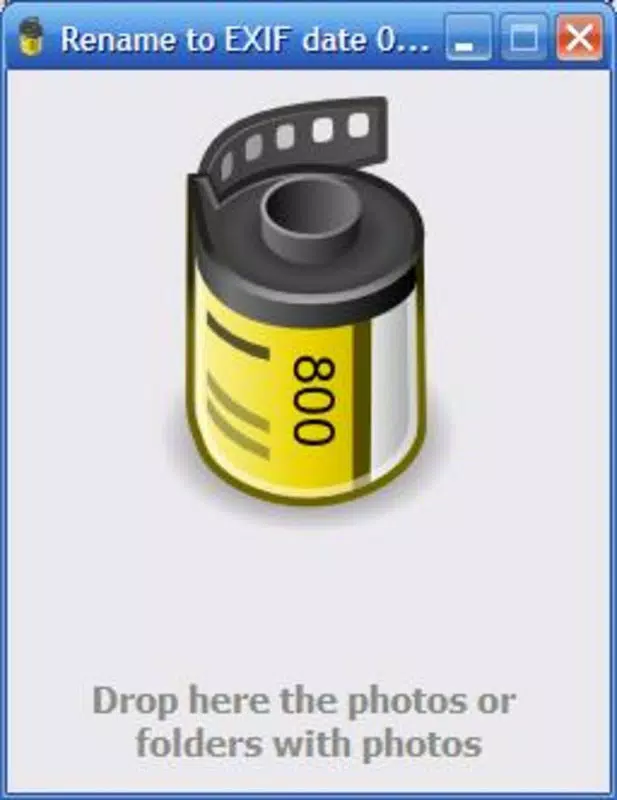
The user interface of Rename to EXIF date is designed with minimalism and functionality in mind. It features a clean layout with a central drop zone for files, accompanied by clear visual feedback during the renaming process. Navigation is straightforward, relying primarily on the drag-and-drop mechanism, which reduces the learning curve for users of all experience levels.
The app does not include complex menus or settings, focusing instead on core functionality to maintain speed and usability. Although the developer did not list formal performance metrics, the app’s lightweight size and rapid processing time suggest efficient execution. Users can expect consistent responsiveness across different device categories, including older systems.
Stability appears to be a strength, given the app’s long-standing availability. The interface remains responsive during batch processing, with no reported crashes or freezes. While specific device compatibility details were not disclosed, the app’s small footprint and simple design indicate broad accessibility.
Overall, the user experience emphasizes speed, clarity, and reliability, aligning with the expectations of a productivity-focused tool.
Platform Compatibility & Technical Requirements
Rename to EXIF date is available exclusively on the Windows platform. The current version is 1.0, with a file size of 1.2 MB, indicating a compact and lightweight application. The developer did not specify minimum OS requirements, nor did they list supported Windows versions.
This lack of detailed information means users should exercise caution when installing on newer or older systems. Compatibility with modern Windows 11 or legacy Windows XP environments remains unverified. The app’s small size and simple architecture suggest it may run on a wide range of Windows devices, but users are advised to test the installation in a safe environment.
No additional dependencies or system requirements were mentioned. Given its release date in 2008, the app may not support newer Windows security protocols or file system features. Users should ensure they have appropriate permissions to install and run software on their system.
Pros and Cons
Pros
- Free to download and use with no hidden costs.
- Efficient batch renaming based on accurate EXIF metadata.
- Simple drag-and-drop interface suitable for all skill levels.
- Extremely lightweight at only 1.2 MB.
- Helps organize photos chronologically for better accessibility.
Cons
- Platform limited to Windows only; no support for Android or iOS.
- Developer did not provide minimum OS requirements or compatibility details.
- Release date from 2008 raises concerns about modern system support.
- No visible update history or recent development activity.
- Only supports image files with embedded EXIF data.
FAQ
Is Rename to EXIF date safe to install?
The app is free and available from a known developer, Joe C. Jones. However, due to its age and lack of recent updates, users should scan the file with antivirus software before installation.
Can I use this app on my Android or iPhone?
No. The app is designed exclusively for Windows and is not available on Android or iOS platforms.
Does the app work with all photo files?
The app relies on EXIF data embedded in image files. If a photo lacks EXIF metadata, the renaming process may not function correctly.
How do I update the app?
The developer has not released any updates since 2008. There is no official update mechanism or version history available.
Is the app secure on modern Windows systems?
Given its age and lack of recent updates, the app may not be fully compatible with modern Windows security standards. Users should test it in a controlled environment.
Final Thoughts
Rename to EXIF date remains a niche but effective tool for Windows users seeking to organize their photo collections with precision. Its ability to rename files based on the actual date and time of capture—extracted from EXIF data—offers a practical solution for anyone overwhelmed by disorganized image files. While its age and lack of updates are notable limitations, the app’s simplicity, speed, and zero cost make it a compelling option for basic batch renaming tasks.
It is especially beneficial for users managing event photos, digital archives, or personal collections where chronological order matters. Though not suited for modern mobile ecosystems, its lightweight design and focused functionality ensure it still delivers value. For those who need a no-frills, reliable way to rename photos by date, this tool remains a functional choice.
Download Rename to EXIF date now and bring order to your digital memories.


